
Booking a follow-up with a Nurse Practitioner depends on the reason you're booking the appointment:
Follow-Ups You Can Book Yourself:
- Medication Refill
- Medication Discussion
Follow-Ups by Request Only:
- Forms or letters that need to be filled out by a nurse practitioner
- Lab/ECG Review
- Other
How to Book a Medication Refill or Discussion
1. Open the Cognito Portal, and click Bookings on the side menu
2. In the top right corner, click New Booking, and select Book with a Medical Provider
2. Select the reason for your visit
4. Select whether or not you are seeking an ADHD-related medication refill
5. Select a date and time that works best for you, enter your personal details, and your appointment will be booked!
4. Select your reason for the follow-up, and provide any relevant details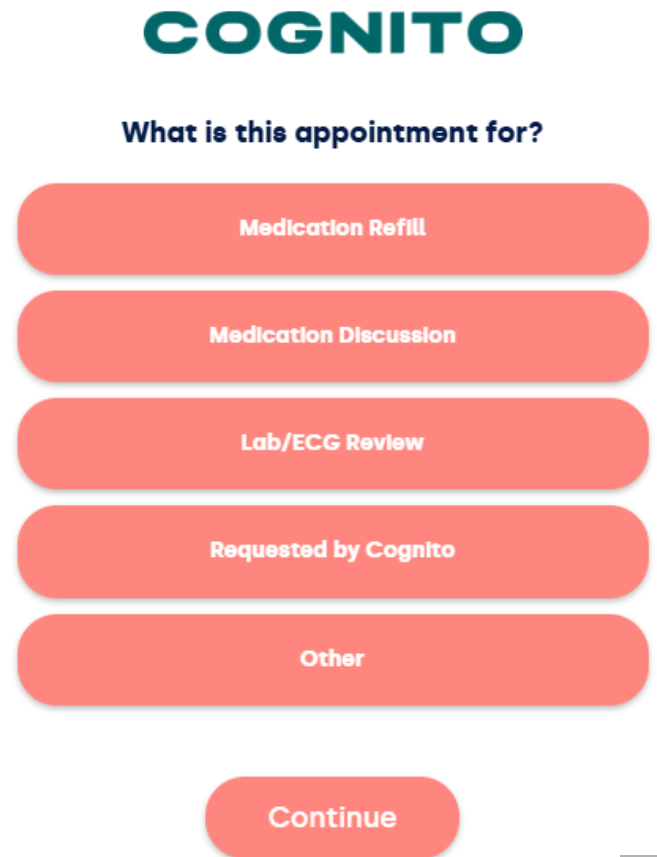
How to Book a Follow-Up for Forms/Labs, Letters, or Other
1. Open the Cognito Portal, and click Bookings on the side menu
2. In the top right corner, click New Booking, and select Book with a Medical Provider
2. Select the reason for your visit
3. Enter your personal details, and fill out all of the following fields including your date and time preferences and any other information that may help us prepare for our session.
Once these steps are completed, we will reach out to you with a date and time for your appointment.
Comments
0 comments
Please sign in to leave a comment.